No products in the cart.
Return To Shop Zigbee Hub Required
 Schedule and Timer
 Dimmable
 Voice & App Control
 Warm white light (2700K to 6500K)
🛒 Spend $100+ & enjoy 🚛 FREE shipping!🎉

🛒 Spend $100+ & enjoy 🚛 FREE shipping!🎉


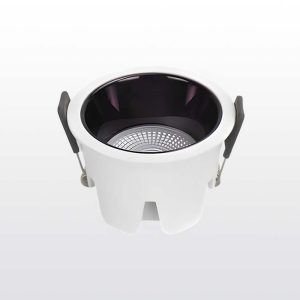
$26.90
The Smart KLARA Downlight offers ultra-precise brightness control from 0.1% to 100% with smooth transitions for any ambiance. Easily manage multiple downlights at once with group control, adjusting brightness, color, and on/off settings together. Customize your lighting with adjustable colors from warm to cool white, and enjoy added convenience with schedule and timer functions for a truly smart home experience.
Zigbee Hub RequiredSchedule and TimerDimmableVoice & App ControlWarm white light (2700K to 6500K)
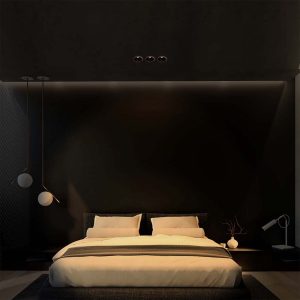
Enjoy a gentle lighting experience with smooth transitions that prevent sudden brightness, creating a more comfortable and eye-friendly environment.
With adjustable brightness, you can easily set the perfect lighting level for any occasion. Dim the lights for a cozy movie night or brighten them for a lively dinner party—all with a simple tap or voice command.Switch between warm white (2700K) for a relaxing ambiance and cool white (6000K) for task lighting. This versatility ensures the lights adapt to your needs, whether you’re working, relaxing, or entertaining.


Automate your lighting with scheduling and timers. For example, set the lights to gradually brighten in the morning to wake you up or turn off automatically at bedtime, enhancing convenience and energy efficiency.
Seamlessly integrate with Amazon Alexa, Google Assistant, and Siri Shortcuts for voice control. Effortlessly manage devices, scenes, and schedules using voice commands.

Enjoy a gentle lighting experience with smooth transitions that prevent sudden brightness, creating a more comfortable and eye-friendly environment.
With adjustable brightness, you can easily set the perfect lighting level for any occasion. Dim the lights for a cozy movie night or brighten them for a lively dinner party—all with a simple tap or voice command.
Switch between warm white (2700K) for a relaxing ambiance and cool white (6000K) for task lighting. This versatility ensures the lights adapt to your needs, whether you’re working, relaxing, or entertaining.
Automate your lighting with scheduling and timers. For example, set the lights to gradually brighten in the morning to wake you up or turn off automatically at bedtime, enhancing convenience and energy efficiency.
Seamlessly integrate with Amazon Alexa, Google Assistant, and Siri Shortcuts for voice control. Effortlessly manage devices, scenes, and schedules using voice commands.
Yes, a Zigbee hub is required for connectivity and smart features.
Yes, it works with Alexa and Google Assistant for hands-free voice control.
Yes, the brightness is adjustable, allowing you to create the perfect ambiance.
The color temperature ranges from warm white to light (2700K to 6500K)
Yes, you can control the lights remotely via the smart app.
Yes, you can set schedules and timers for automated lighting control.
Yes, the lights are dimmable, allowing you to adjust the brightness to your preference.
| Brand | Outsmart |
|---|---|
| Type | Klara Downlight |
| Connectivity | Zigbee 3.0 (Hub Required) |
| Color Temperature | Warm white light (2700K to 6500K) |
| Voltage | 220V |
| Frequency | 50Hz |
| Voice Assistant Compatibility | Google Home, Alexa, Siri Shortcuts |
| Remote Control | Outsmart app control (iOS and Android) |
| Wattage | 10W |
| Variant Type | Gun Metal |

$98.00

Reviews
There are no reviews yet.