


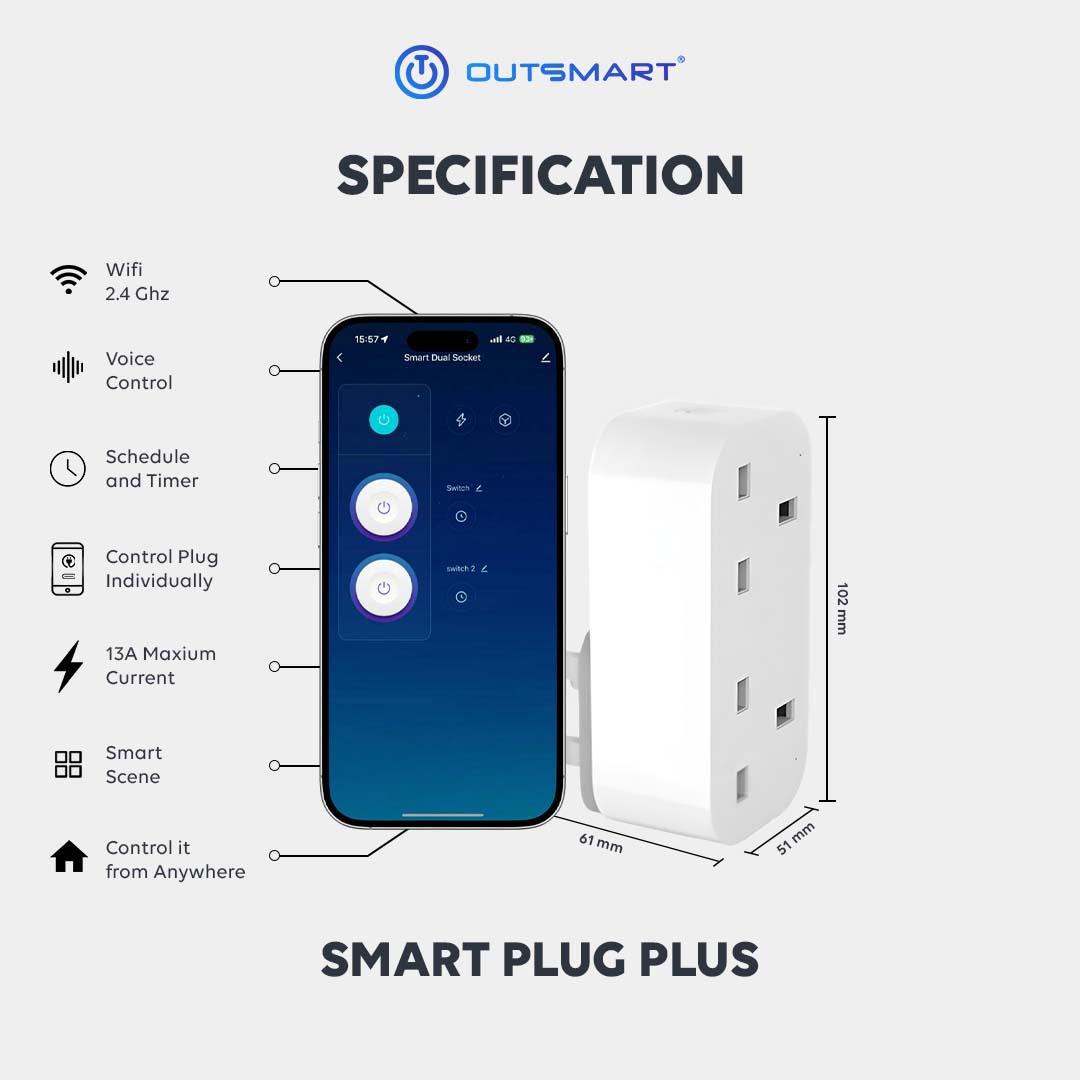






 Wifi 2.4 Ghz
 Voice Control
 Smart scene and automation
 App Control
 Control plug and USB individually
Set Automation to Prevent Overcharging
Protect your devices with smart automation. Set timers to automatically cut off power after a chosen period, preventing overcharging and extending battery life. Ideal for phones, laptops, and other electronics, it’s a simple way to keep your devices safe and efficient
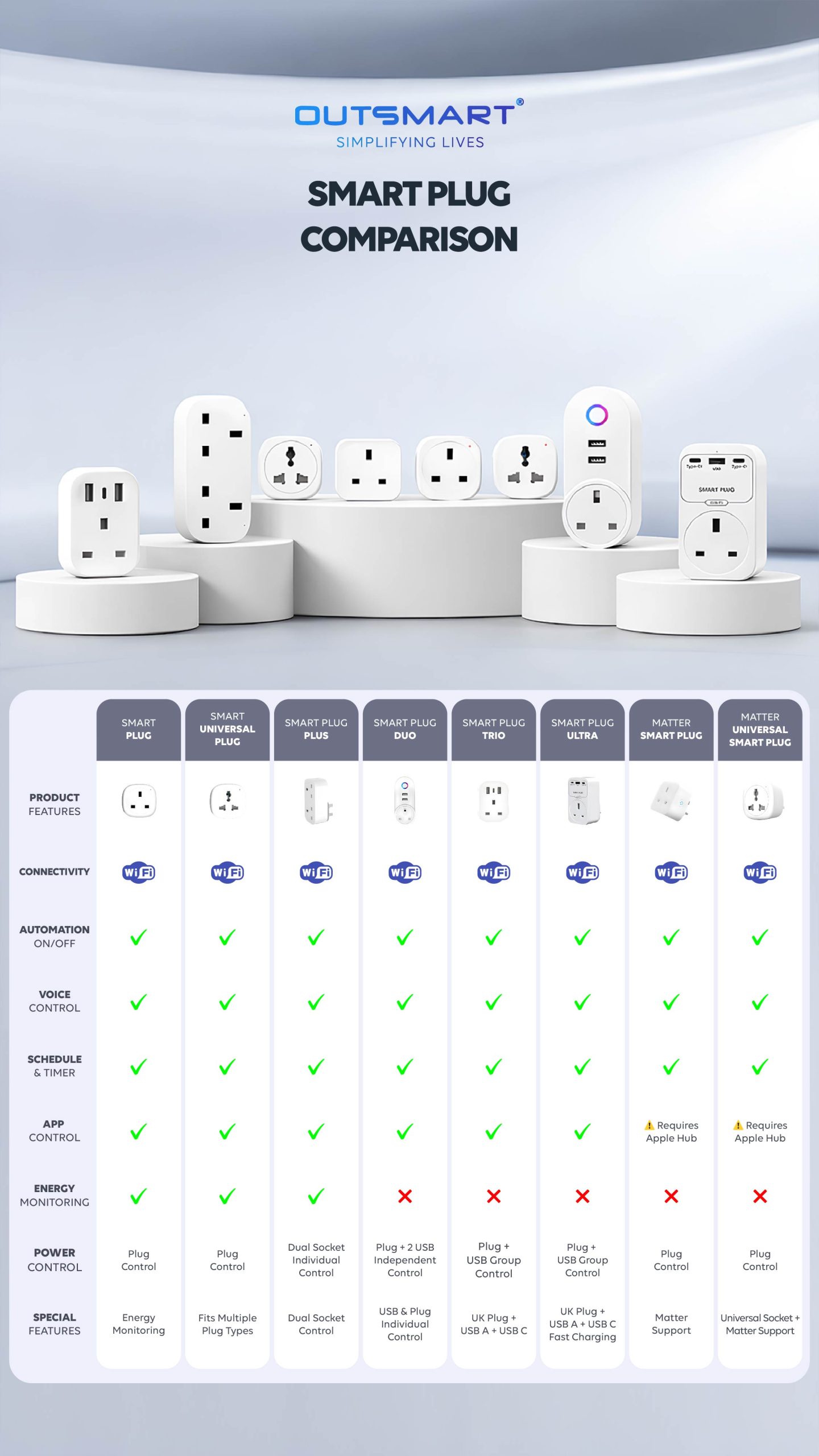
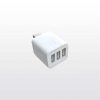
Dual Socket
Designed to power two devices at the same time. Control each socket individually, set schedules, and manage appliances remotely through the app.


App Control & Voice Assistant Integration
Control devices remotely through the smartphone app (iOS and Android). Turn on/off, schedule, and monitor devices from anywhere. Seamlessly integrate with Amazon Alexa, Google Assistant, and Siri Shortcuts for voice control. Effortlessly manage devices, scenes, and schedules using voice commands.
Smart Scene
Control your devices easily through the mobile app and create smart scenes to match your daily routines. With customizable scenes such as Kitchen Mode, you can turn multiple devices on or off simultaneously with just one tap, making everyday tasks more convenient and efficient.

Set Automation to Prevent Overcharging
Protect your devices with smart automation. Set timers to automatically cut off power after a chosen period, preventing overcharging and extending battery life. Ideal for phones, laptops, and other electronics, it’s a simple way to keep your devices safe and efficient
Dual Socket
Designed to power two devices at the same time. Control each socket individually, set schedules, and manage appliances remotely through the app.
App Control & Voice Assistant Integration
Control devices remotely through the smartphone app (iOS and Android). Turn on/off, schedule, and monitor devices from anywhere. Seamlessly integrate with Amazon Alexa, Google Assistant, and Siri Shortcuts for voice control. Effortlessly manage devices, scenes, and schedules using voice commands.
Smart Scene
Control your devices easily through the mobile app and create smart scenes to match your daily routines. With customizable scenes such as Kitchen Mode, you can turn multiple devices on or off simultaneously with just one tap, making everyday tasks more convenient and efficient.
FAQ
- Download Outsmart® app from Google or Apple Store
- Register an account with us
- Grant all Wifi, Bluetooth, location and notification access for seamless connectivity
- Connect your mobile to ONLY 2.4ghz Wifi, and turn on Bluetooth
- Tap on the (+) button on top right, then Add Device
- Ensure Wifi and Bluetooth are both turned on
- To reset and enter into pairing mode, Long press the reset button for 10seconds
- App will auto discover the product, otherwise, reset the product again
- Enter the correct password
- Tap next and add
- You are connected !
Yes, there will be 2 individual control in the app after it is connected
Yes, 0.0002w/hour, as it is required to stay on wifi.
As long as it is within 2000w.
Long press 10s the reset button on the motor

Reviews
There are no reviews yet.